
© 2026 Via.com. All Rights Reserved
Via Products
-
FLIGHTS
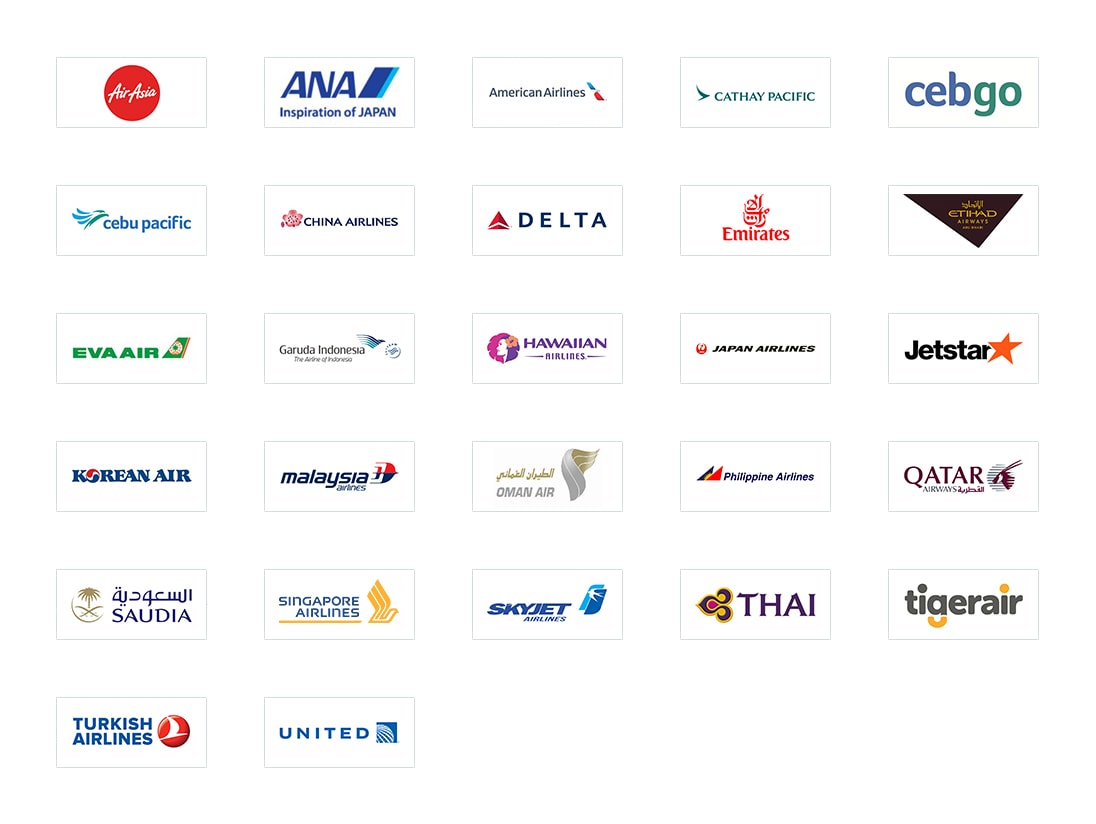
VIA Philippines provides domestic and international flight ticketing and reservations from the leading airline companies here and abroad. Domestic Airlines available in our portal are Philippine Airlines, Cebu Pacific, Cebgo, AirAsia Zest, Skyjet, and RoyalAir. Moreover, since VIA Philippines is also an IATA accredited partner, it also offers GDS Airlines such as American Airlines, Cathay Pacific, Delta Airlines, Emirates, Etihad Airlines, Japan Airlines, Korean Air, Malaysia Airlines, Qantas Airlines, Qatar Airlines, Singapore Airlines, Thai Airways, to name a few. Buy any airline ticket on one single screen. No more toggling.
-
HOTELS
VIA Philippines provides an online booking accommodation for more than 1,000 domestic hotels and around 800,000 international hotels at the most competitive rates with real-time availability and instant confirmations. Choose from any of our partner hotel properties such as Waterfront Hotels and Casinos, Holiday Inn, Shangri-la Hotels and Resorts, etc.
-
HOLIDAY
VIA Philippines offers domestic and international tour packages that may be utilized to promote and maximize the travel agency's marketing potential. Furthermore, Holiday Tour Packages can be customized to tailor fit the clients' requirements.
About Us
-
VIA.com Philippines
It is the first B2B travel portal established in the Philippines which has brought all the airline and hotel reservation system (GDS and LCC airlines) in a single page integrating all the servers and enabling the agents to surf the schedule, fares and make bookings instantaneuosly. Launched in Manila in August 2010, VIA.com Philippines has captured majority of B2B market with more than 9000 travel agents registered in its network and transacting on a monthly basis, and presence in over 180 cities and municipalities nationwide. It is a part of VIA Group, Asia's largest travel platform with a network of more than 50,000 travel partners across 1,700 cities in Asia Pacific. -
VIA.com Group
Flightraja Travels Pvt. Ltd., incorporated under Indian Companies Act 1956 (herein after called as Via) was established in July 2006 with headquarters situated in Bangalore, India. Today, it is Asia's largest travel services company with a network of over 50,000+ agents spread across 1700+ cities pan India and with an annual turnover of USD 600 Million. VIA.com has pioneered the 'travel agent network' model for flight, rail, hotels, holiday and bus bookings in India, empowering agents from all across the country. -
Global Presence
VIA.com has successfully established its presence in India, Philippines, Indonesia, UAE, and Singapore and still burgeoning across Asia.

Via Corporate Booking Tool
VIA Corporate allows business entities to manage and take control of their business travel needs - may it be in flights, hotel accomodations and travel tours, with a hassle-free booking experience.
With VIA Corporate you are now in the position to evaluate and assess your own travel requirements as the system offers a wide range of reliable suppliers with flight schedule availability and consumer friendly needs.
Benefits
- Guaranteed savings on contracted and negotiated airfares and hotel rates at alltimes
- One (1) single portal for all airlines, hotels and resorts with real-time flight schedule and availability with instant booking confirmation. No need to toggle!
- Offers wide range of travel product inventories with more than 50,000 partner airlines, hotels and resorts across the globe
- Smart travel process that allows managers to approve/decline request travel booking
- Offers more convenient payment methods - cash, credit card, debit card, and mobile payment options
- Efficient reporting tool of all transactions that enables managers to keep track of their travel expenses
- 24/7 customer support
Our company partners worldwide
-
See All
Our company partners worldwide
Contact Us
Need help with something on Via?
Philippines
Unit 406-409, 4F Five E-com Center Building, Blk. 18, Pacific Drive, Mall of Asia Complex, 1300 Pasay City, Manila, Philippines.
Phone: +63 8 990 0 999
Enquire at: corporates.ph@via.com
Phone: +63 8 990 0 999
Enquire at: corporates.ph@via.com
India (Head Office)
Raheja Towers, 26/27 M.G.Rd, 8th Floor Bangalore - 560 001,KA, India
Phone: +91 (080) 40433000
Fax:+91 (080) 40433011
Email: care@via.com
Phone: +91 (080) 40433000
Fax:+91 (080) 40433011
Email: care@via.com
UAE
Ebix Travels Middle East FZ-LLC DIC Building 16 P.O Box 85284, Dubai, UAE.
Email: support.ae@via.com
Email: support.ae@via.com
Indonesia
PT.Adya Tours (VIA | Indonesia) Pakarti Centre, 6th floor Jl. Tanah Abang III No. 23-25-27 Petojo Selatan, Gambir Jakarta Pusat, Indonesia - 10160
Phone: a(021) 29 222 333
Fax:+62 21 38901949
Email: id.helpdeskk@via.com
Phone: a(021) 29 222 333
Fax:+62 21 38901949
Email: id.helpdeskk@via.com
Singapore
Email: sg.support@via.com
Thailand
Email: th@via.com
Oman
Ebix Travels Middle East FZ-LLC DIC Building 16 P.O Box 85284, Dubai, UAE.
Email: support.om@via.com
Email: support.om@via.com
India (Delhi Office)
Building no. 2/14,1st floor,
West Patel Nagar Near Patel Nagar Metro Station,
New Delhi 110008 INDIA
Phone: +91 11 45566666
Email: holidays@via.com
West Patel Nagar Near Patel Nagar Metro Station,
New Delhi 110008 INDIA
Phone: +91 11 45566666
Email: holidays@via.com
Via Philippines Travel Corporation is a Member of:
Our Banking Partners:



Enter the TOTP from your two-factor Authenticator App.
Don’t refresh/click back until you enter the TOTP
–
Enter the TOTP from your two-factor Authenticator App.
Don’t refresh/click back until you enter the TOTP
–
Enter the OTP received on your mail or mobile
Don’t refresh/click back until you enter the OTP
–
00:00
Unable to receive OTP? You may update your email and mobile number HERE
Updating Contact Detail
Desk User
-Contact details are missing/unverified
Important Instruction
Please Coordinate to your Admin to update
Step by step procedure for Google Authenticator
Click on the link below
https://cdn.via.com/static/img/v1/newui/ph/general/offer/1761012168351_Advisory.jpgClick the link below to watch the step-by-step Google Authenticator setup video
https://drive.google.com/file/d/1lNdakyFQL5i6BW9qioKquYTWW2WozFem/viewPlease use the Authenticator App to scan this QR and complete the setup.